
Publish and batch plot
You still set it up every time. You still rename every PDF afterwards.
Amber for AutoCAD and Revit
Drop your drawings on Amber. Every layout and sheet comes back as a named PDF in one dated folder, ready to send. At least an hour a week back.
Runs 100% on your PC. Nothing leaves your computer.
From £29 a month. Windows download coming soon. The Hour Back Guarantee: if Amber doesn't save you an hour a month, you get your money back.
Runs locally. Nothing leaves your computer.
Standalone Windows app, not an add-in
Built by an MEP engineer at Select MEP
The design is done. The client wants the set today.
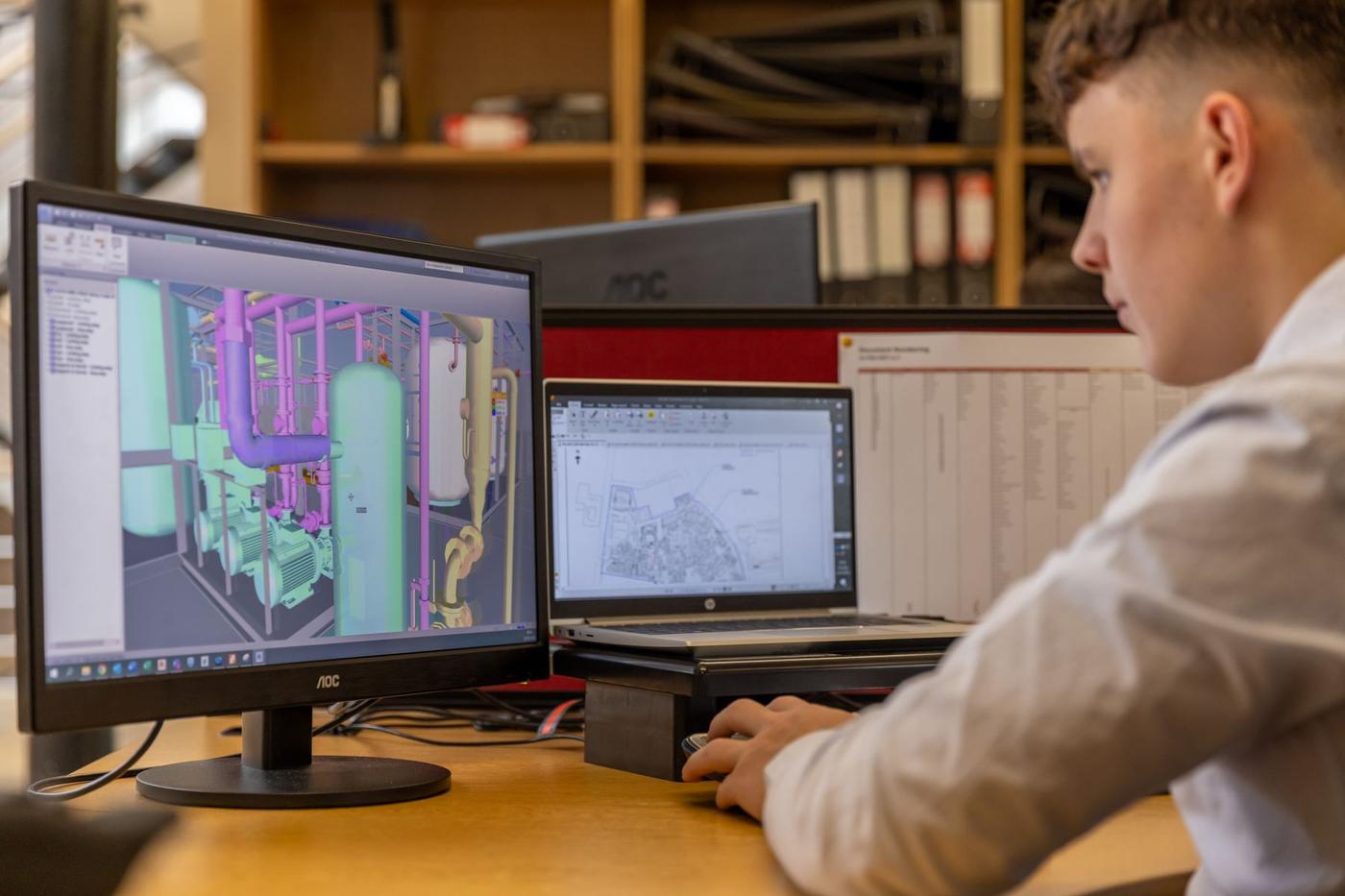
So you open every drawing and bump every revision. You plot every layout and rename every PDF by hand. Then you do the Revit sheets.
Hours
of plotting and renaming on every issue day
2 min
for the same issue with Amber
1 folder
dated, with nothing overwritten
Takes 30 seconds. Your numbers stay in your browser.
Doing it by hand costs you
£0 / year
That's 0 hours a year.
Amber gives back about 0 of them. A full issue takes about 2 minutes instead of 0 min.
Amber Pro costs £290 a year.
Get my hours backYou still set it up every time. You still rename every PDF afterwards.

It costs their hours instead of yours. One wrong revision and the wrong drawing goes out.
It breaks on the next title block, the next AutoCAD version or the first Revit job.
Amber works because the whole issue happens in one drop: revise, export, name and file.
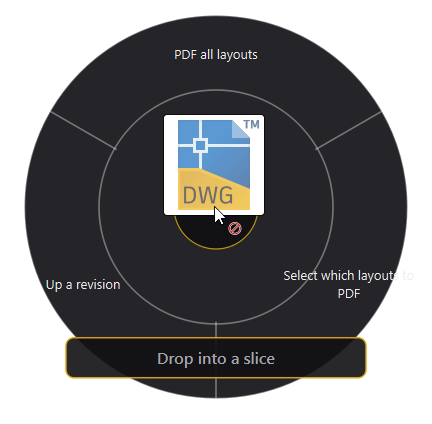
Select your DWGs and RVTs and drag them in. Or press the global hotkey from wherever you are.
PDF all layouts, pick the layouts you need, up a revision or ZIP. The slice decides the job.
Every PDF lands in one dated folder, named and ready. Nothing is overwritten. One jobs window shows the progress.
Same three steps for AutoCAD and Revit, so there's nothing new to learn.
Amber does all the work locally, with the AutoCAD and Revit you already have.
Simulation. The real app runs on your Windows PC with AutoCAD/Revit.
Drag the drawing onto a slice. Or tap Use sample drawing, then a slice.
Pick a slice to see what Amber does.
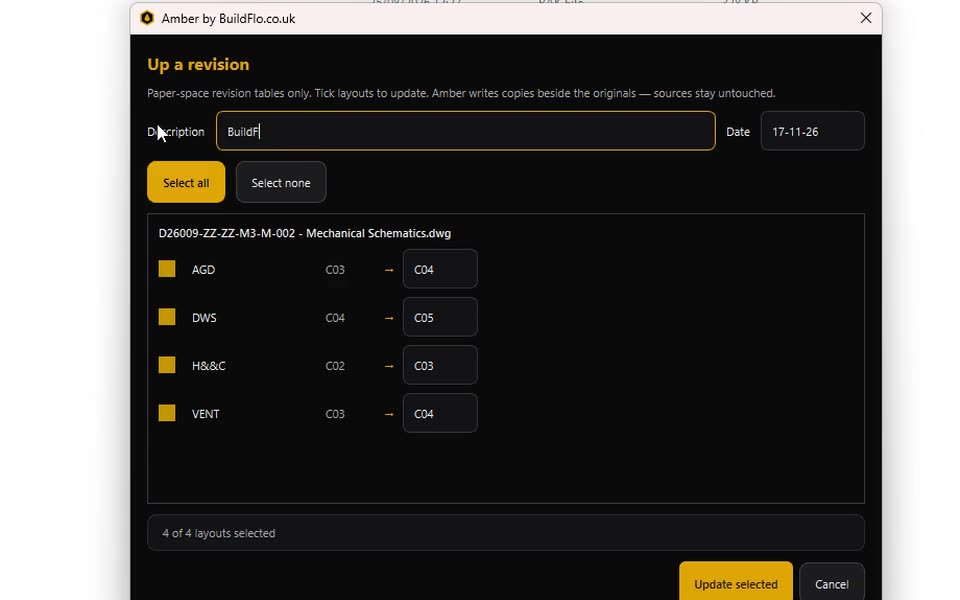
Tick the sheets and set the new revision. Amber saves revised copies with the xrefs kept, adds a row to your revision table and updates the title block. The originals are never touched.
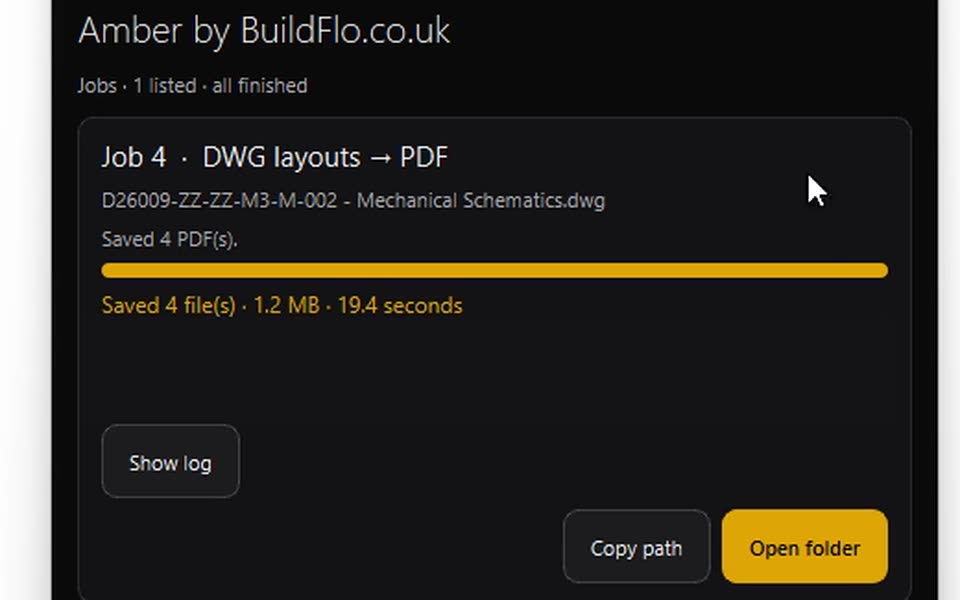
Needs full, licensed AutoCAD. Tested on AutoCAD 2025.
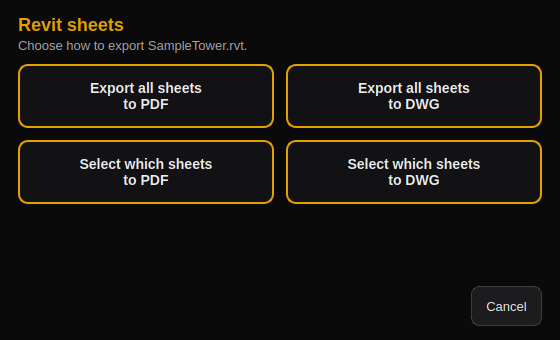
Needs Revit 2022 or later. Revit LT isn't supported.
Amber reads the number, revision and title from your title block and names each PDF for you. You set the order. It's off by default, so files take the layout or sheet name.

Word and images to PDF, and PDF back to Word, from the same drop ring.

Upscale, redact and crop site photos before they go into a report.

Early users vote on what we build next.
Bonuses are included in Pro, Team and Enterprise.
If Amber doesn't save you at least an hour a month, you get your money back. No questions asked.
Paid plans only, all with the Hour Back Guarantee. Windows download coming soon.
£29/month
Or £290 a year, 2 months free.
£200/month
£20 a seat, with 10 seats included.
£15/seat/month
Minimum 15 seats, so from £225 a month.
Buy seats in bulk and hand them out from one admin dashboard. Add or remove people, move a seat when someone leaves, and see who uses Amber in each team.
For IT and security: Amber runs locally on each PC. No uploads and no cloud processing. Drawings stay on your own machines and network.
Seats
Invite13 of 15 seats assigned
All teamsMechanicalElectricalPublic health
| Member | Team | Last used | Action |
|---|---|---|---|
| J. Bennett | Mechanical | Today | Reassign |
| A. Khan | Electrical | Yesterday | Reassign |
| R. Lewis | Public health | 3 days ago | Reassign |
| S. Patel invited | Mechanical | Not yet | Resend |
| Unassigned seat | Assign |
Billing: 15 seats × £15 = £225 a month
We're opening Amber to a limited first group before the public download. Sign up now and you're in it.
of founding places left
Founding place count to be confirmed.
Claim a founding place
"Issue day was always a pain. Hours of PDFing drawings and renaming them. Now it takes me 2 minutes and the set is ready to send."
Pro is £29 a month, or £290 a year (2 months free). Team is £200 a month with 10 seats included, which is £20 a seat. Enterprise is £15 a seat a month with a minimum of 15 seats, so from £225 a month. There's no free plan.
Team suits a drawing team of up to 10 people on one invoice. Enterprise is for 15 seats or more and adds the admin dashboard to add, remove and reassign seats, team by team.
Windows, plus full licensed AutoCAD for DWGs and Revit 2022 or later for RVTs. Amber uses AutoCAD's Core Console, so AutoCAD LT won't work, and Revit LT isn't supported. Tested on AutoCAD 2025.
No. Amber is a standalone Windows app with one installer of about 240 MB. It drives the AutoCAD and Revit you already have.
No. Exports go into a new dated folder and never overwrite a file. Up a revision saves revised copies and leaves the originals alone. Revit models open in their own version, so nothing is upgraded.
No. Everything is processed locally on your PC, using your own AutoCAD and Revit. Nothing leaves your computer.
Each AutoCAD layout keeps its own paper size and orientation at full-bleed ISO sizes, so A0, A1 and A2 can go in one drop. Revit sheets export edge to edge at 100%.
Soon. We're finishing the signed Windows installer. Early access sign-ups get it first.
If Amber gives you an hour a week back, that's about 4 hours a month. At £45 an hour that's around £195 of your time for £29. If it doesn't save you at least an hour a month, you get your money back. Try your own numbers.
P.S. The only risk is another afternoon of renaming PDFs. The Hour Back Guarantee covers the rest.